A Computer Never Forgets!!
Computers are the best medicine for
“Senior Moments”!

Introduction to Computers – serves as the foundation to everything else you learn about computers. You must first become comfortable with the fundamentals in this lesson (Introduction to Computers.)
Let’s look at the hardware attached to a computer.
- Monitor
- Keyboard

- Mouse
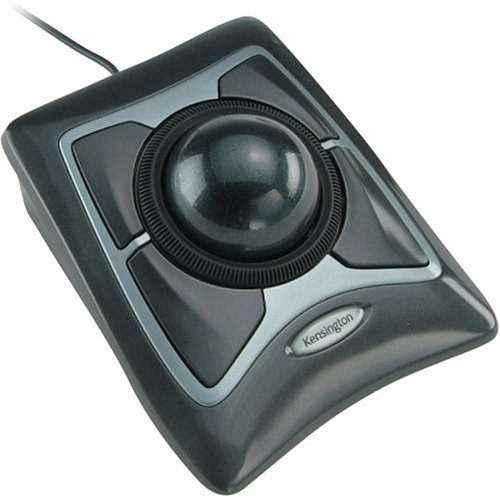 – Many people find using a “trackball” mouse instead of a traditional one much easier to move and control. Instead of moving the mouse around the desk, you instead move a small ball in a fixed container. The best one we’ve found is from Logitech- take a look and consider trying it out if using a traditional mouse is difficult.
- Speakers
- External hard-drive

- Internet System Backups – Reliable, automatic backups are a critical part of your computing experience. Carbonite online backup saves copies of your invaluable documents, pictures, and other files on the internet in a secure and affordable fashion. Carbonite software works in the background to automatically backup your files without adversely affecting your normal internet activities. It’s easy to download and install, and if you don’t have backups yet you should check out this application.Carbonite Backup
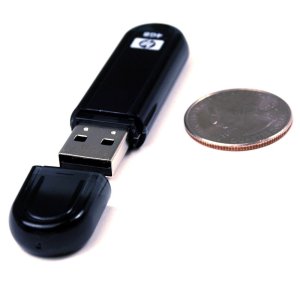
- USB FlashDrive
- Simm Card
- ZoomText Magnifier delivers the best in computer screen magnification… clear images, smooth navigation, and ease of use. With magnification up to 36x, ZoomText enlarges and enhances everything on the screen, making all your applications easy to see and use. Includes eight zoom window types, so you can choose which part of the screen is magnified
What are you interested in? (click on desired link)
Computer Accessories and Services
Senior Friendly Accessories


 Paul's Corner
The lessons are very informative and easy to follow,but my interest has not caught on yet. hopefully, I will learn to like computers for my personal use.